
Advertisement · Our app
How to set up the Rimado app
This guide shows you, step by step, how to set up the app. Print it out and leave it next to the device.
What you need
- An Android phone or an Android tablet.
- A Google account for the Play Store.
- Wi-Fi for the download.
After that, it works without the internet. Only buying the full version needs a short connection.
For iPhone and iPad: in preparation.
-
Step 1: Get the app
Open the Play Store on the device. Search for “Rimado” and tap “Install”.
The download is free.
Straight to the store:
For Android phones and tablets. For iPhone and iPad: in preparation.
Google Play and the Google Play logo are trademarks of Google LLC.

Or scan this code with the device’s camera. Or type this address into the browser: www.rimado.org/zur-app -
Step 2: Open the app and choose a puzzle type
Tap the Rimado icon. You do not need an account or a sign-in.
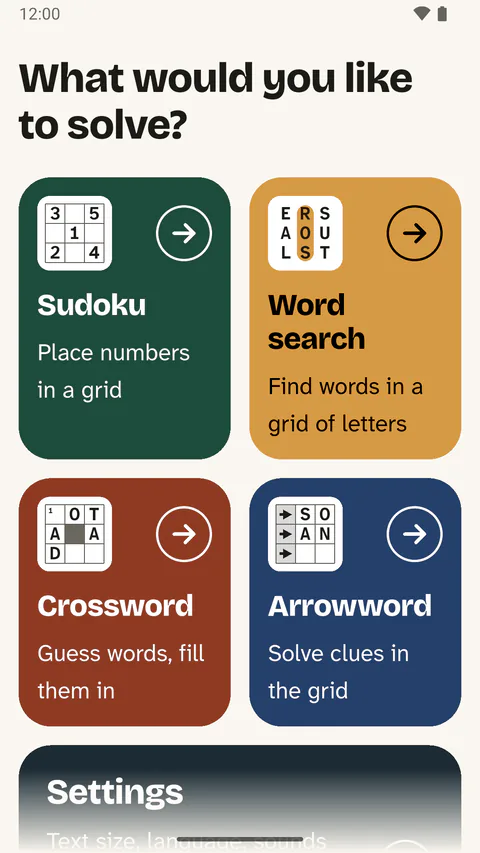
The start page asks: “What would you like to solve?” Below are four large tiles for the puzzle types.
Later, a puzzle you have started is at the very top, under “Continue where I left off”.
-
Step 3: Make the text large
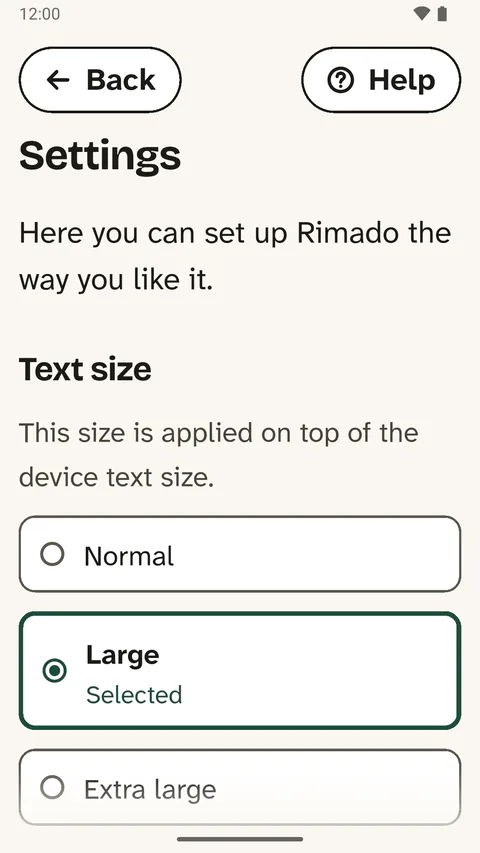
On the start page, tap “Settings” below the puzzles.
Under “Text size”, choose “Normal”, “Large” or “Extra large”.
This size is applied on top of the device text size.
-
Step 4: Solve a puzzle
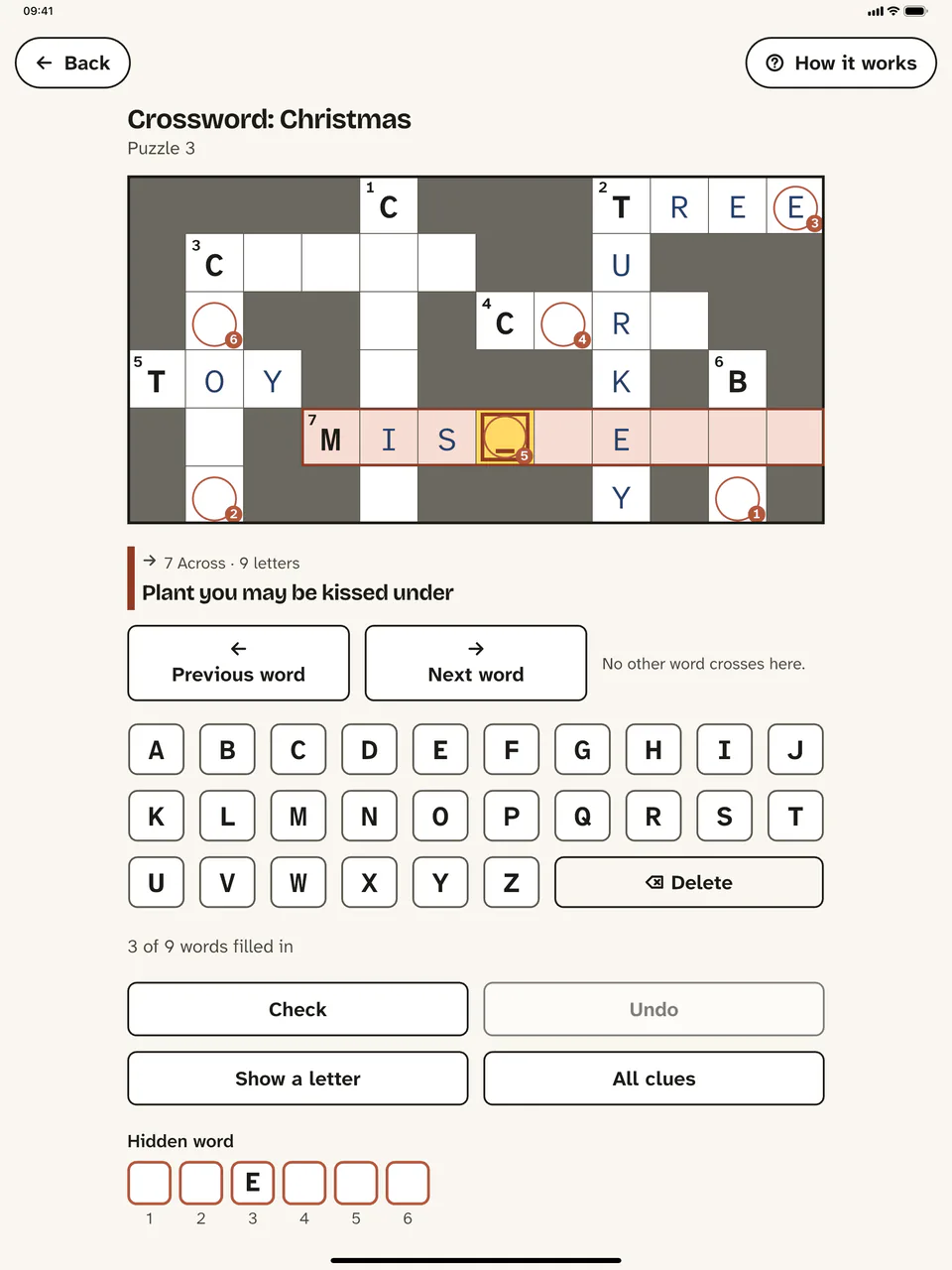
Tap a puzzle type. Then choose a level and a puzzle.
The first time you play each type, the app briefly shows how it works. “How it works” at the top right shows it again.
“Check” shows what is not right yet. In crosswords and arrowwords, “Show a letter” helps you along.
The app remembers every puzzle you have started.
-
Step 5: PIN and full version
Set a PIN
In “Settings”, under “PIN protection”, tap “Set PIN”. The PIN has 4 digits.
The PIN protects the settings and the purchase. So nobody buys anything by mistake. The PIN is optional.
Forgot the PIN? Delete the app and install it again. Get the purchase back with “Restore purchase”.
Full version
Some of the puzzles are free and stay free. The full version unlocks all puzzles.
It is a one-time purchase, with no subscription.
You buy it in “Settings” with “Buy full version”. The purchase works on all devices with the same store account.
On a new device, tap “Restore purchase” there.



Tips for family and carers
- Set the volume on the device. In “Settings”, you can turn “Sounds while playing” off completely.
- Is a grid wider than the screen? Then turn the device sideways.
- In crosswords and arrowwords, each letter takes you to the next square by itself.
- The app sends anonymous usage statistics. In “Settings”, turn off “Anonymous usage statistics”.
Help
In the app, “Help” leads to the guides for the puzzles and to our contact details.